Wednesday, August 28, 2019

#HP Office Jet Pro 9015


HP Office Jet Pro 9015


Reliable Printer!

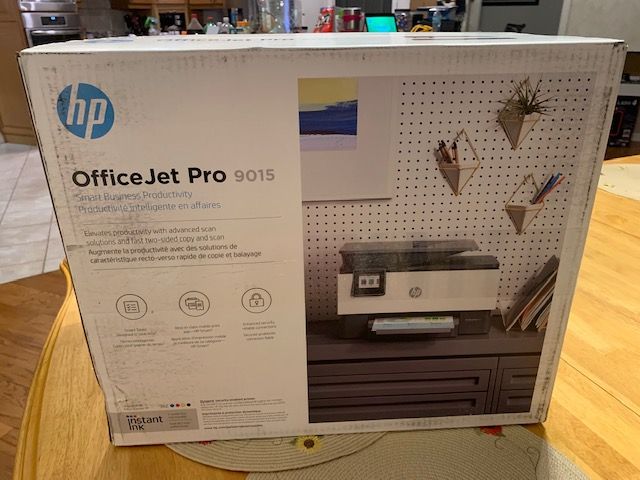
Where to start with this compact but mighty printer.  First HP has always been my go-to printer to get the job done.  The HP Office Jet Pro 9015 is an all one printer that is part of the instant ink program.  It prints, scans, copies and faxes. The design of the printer is nice and requires less room then other business printers.  The feature of being able to print or scan from my phone is excellent.  The scanning function is quick, and we can scan to our email.    The double-sided scanning makes life easier, not having to flip over the paper.  Setting up the printer is painless and simple; just follow the screen instructions and you will be printing in no time.   With the 9015 printer you have connectivity options, WIFI direct, self-healing WIFI and ethernet network for direct connections.  The printer has a small 2.7” touchscreen, which I do wish was larger for us mature adults (not going to say the word old or senior).  The screen is easy to navigate.  The instant ink feature is nice and will see how it plays out.  You can sign up directly with HP for the instant ink program.  The printer does a nice job printing in black and/or color. A crisp printing every time.  The printer has several handy features which you can experiment with simply browsing the menu screen, as there were not many documentations included with the printer. There is a sleep mode on the printer and an option for timed power on and power off.  A handy printer for home or a small office.  The tray holds about 250 sheets of paper. The printer has exceeded my expectations. Definitely worth the purchase.


Friday, August 16, 2019

#HP Office Jet Pro 9015

#HPPrinterInsiders I love my #HPOFFICEJETPRO9015 #THEINSIDERS So many great figures. I can fax, print, scan and copy. A wireless printer that does it all and even prints remotely. With the automatic two sided print, copy and scan you save time and paper. The printer has an USB drive also. It prints great in color and black and white. A speedy printer. Set up was quick and easy! Check out my video. I will be back with a full review.


Thursday, April 25, 2019

Samsung QLED TV Model QN75Q70RAF 75" TV is Amazing


Samsung Q70 75”


The Big Fella Has Arrived!

After unboxing the Samsung Q70 75” the first thing you will notice is how BIG this QLED TV is.  This is not a lightweight TV, so you will need two people to get it set up and running.  To start off I needed to put the support legs on.  They seem to just pop in and stay in place.  Easy to remove for wall bracket hanging.  After getting it up on the credenza, all I had to do is plug it and follow the on screen and voice directions.  The built in wireless networking was a breeze to get online and download any updates.  The remote reminds me of the fruity company’s “TV” remote.   Very “modern ” with limited buttons and a round dial.  Nine buttons not including the Netflix, Amazon and Hulu buttons.  No key pad #”s.  We use TiVo so we will be mainly using the TiVo remote.  You will need the Samsung remote for many of the built in features and settings.  There is no paper manual, you will find an e-manual in the settings.  You can go to the website and download a digital manual if you prefer.  Digging into the e-manual (clearly explained descriptions) is actually very well done.  Home button brings you to settings, connections, streaming channels, downloaded programs and apps of your choice, press again and it is gone.  If will appear when- ever you turn the TV on (there is a setting to turn this feature off).  Back button seems to be everywhere these days, very important (you will wear this button out!!).  To get to initial settings that you missed in set-up or postponed go to the System icon-general-System manager here you can set the time, activate a screen saver. The External device manager, has Game mode and Eco mode.  Smart features has auto on/off, smart hub and last app.  Enough playing with the features for now.  Now let’s watch some shows. 

Turning on the Big Fella.  WOW the picture explodes onto the screen, practically instant on and big.  The built in sound is actually pretty good.  But with this baby you are going to want a sound bar, right away.  Have not timed the Atmos yet (but I will).  The picture is spectacular watching in HD.  The blacks are definitely darker and the colors vibrant without any adjustments, (many built in picture settings to choose from).  With wireless hook up my children were in the internet in no time (they do not need a manual).  There are 4 HDMI hookups in the back.  Also the power plug actually melds into the back of the set without adding depth to the TV (will sit flush to the wall.).  I have even seen a special Samsung bracket for the set. You get a full picture to view with a tiny Bezel around the screen.   Another cool feature is the ambient screen.  Not only does the TV adapt to the room lighting it also allows you to personalize your screen.  You have the ability to have photos, live information or you can download a picture of your wall and have the TV blend into the wall as if it was invisible.  Samsung put a lot of thought into the QLED Smart TV.  I will be discovering more features in the weeks ahead, but for the most part I will be re-watching Game of Thrones before the new season starts.  Tyrion looks a lot taller on this 75” screen.         


Monday, April 1, 2019

The Perfect Bookshelf by Bazal


Sold by: Bazal

A fantastic Bookcase!

The three shelf bookcase is very impressive.  I am usually nervous about ordering certain things on like, but I am impressed with the quality and the beauty of the bookcase.  Yes it needs to be put together, but no worries it was quick and easy.  All necessary hardware to assemble is included.  A simple looking bookshelf but yet it’s stylish.  A great shelving unit that can house your books, Knick knacks, stuffed animals, family pictures and more.  The unit is made of wood and metal, so it’s sturdy. My daughter claimed this right away for her room.  She has tons of books and stuffed animals.  The style and coloring is perfect for any room.  The shelving unit holds plenty.  The top of the shelving unit is perfect for stuffed animals, dolls, statues and more, so you really get four shelves to fill up. I am pleased with my purchase and so is my daughter. The shelving unit holds plenty.  


Thursday, February 28, 2019

Samsung 32' Curved Gaming Monitor! Fantastic Monitor


https://www.samsung.com/us/computing/monitors/gaming/s/_/n-10+11+hv22x+zq2jk/

Samsung 32” Curved Gaming Monitor
#SamsungMonitorExperience

Years ago a computer monitor was just a monitor, a screen to display data on and annoying green glowing lights on a small CRT screen.  Today the world revolves around the ever changing size of the flat screen that we carry in our pocket and/or hang on huge walls in our home or office.  The monitor (or perhaps we can now call it a gaming monitor) are now the most demanding piece of the gaming rig, next to the video card.  The Samsung CJG5 is a 32” gaming monitor which comes with “almost” all of the required features to pacify most demanding gamers.  I am focusing on the 32” monitor.  To begin with I am upgrading from an older 27” monitor to the new 32” Samsung curved monitor.  At first glance the picture is gorgeous.  The curved VA panel comes with a 144 Hz refresh rate.  You need to plug into the HDMI2 port to achieve that refresh rate or use the “not included” display port cable.  To focus on gaming Samsung promises a 1ms response time in full game mode.  Contrast ratio is 3,000 to 1 making the blacks look great for a fairly priced monitor.  Samsung was able to keep the price reasonable by leaving off features that we can live (and game) without.  Notably HDR and AMD’s Free Sync (probably saves $200-$300).  Can you live without them?  Sure and you can put the savings towards a top line video card.  Most HDR systems relay on the basic standard display of the HDR 400.  I think the 144 Hz refresh is a good trade off.  Also HDR on a 32” screen really does not do much anyway.  Besides there will be a better HDR display in the immediate future as the OLED becomes more into focus.  AMD’s free sync is becoming available on some NVidia cards now, but was made for Amd chips to begin with.  So let’s face facts as prices drop you’re going to buy an OLED monitor in a few years anyway and you will have a bunch of new features that have not even been invented yet.  The on screen display (OSD) menu is easy to navigate.  There are two HDMI ports and one display port.  The stand is a bit weak in my opinion, but livable with vesa support.  The Bezel is very thin, works great with dual monitors (or even triple!!)!  Basically Samsung took the top of the line monitor and dolled it up and slapped a great price on it.  The result is a great looking monitor with a great picture and a great price.  A monitor you can game on even watch movies.

Let’s turn to the expert (my 15 year old “gamer “son).  I figures I would have my son give me his opinion of the CJG5 32’ monitor.  After all he puts in more time and plays the demanding games.  He was excited about playing on a 32” curved screen that seemed to envelop him into the same itself.  He likened it to a “mini Imax” environment.  He plays a long list of games, Rainbow Six Siege, Destiny 2, Call of Duty-Black Ops, Total War and Civilization (me candy crush!).  He feels the 144 Hz refresh rate enhances the game immensely. Very smooth, no ghosting, better color, feels that game play has taken a major step forward.  He is looking at playing some older games, just to see the improvement.  One more thing, he is now watching DVD & blue ray and streaming movies on this monitor, he just loves the larger curved screen with its wide viewing angle.  The only problem, he had a dual 27” monitor set up now he has a 32” and 27”.  I know what he will be asking for next!    


Monday, February 18, 2019

Samsung 32" Crved Gaming Monitor- Gaming takes on a whole new level!

#Samsung 32" Curved Gaming Monitor CJG5 Tom is a very happy gamer with the #SamsungGamingMonitor
#SamsungMonitorExperience #SamsungGamers  Reviewing the Samsung Curved Monitor as part of the #SamsungInsiders

Tom doing his thing! #SamsungMonitorExperience
#SamsungGamers
A fantastic curved 32” Samsung Gaming Monitor. Samsung sure knows how to wow us with their monitors.